This page allows you to select examples of different RPM reports...
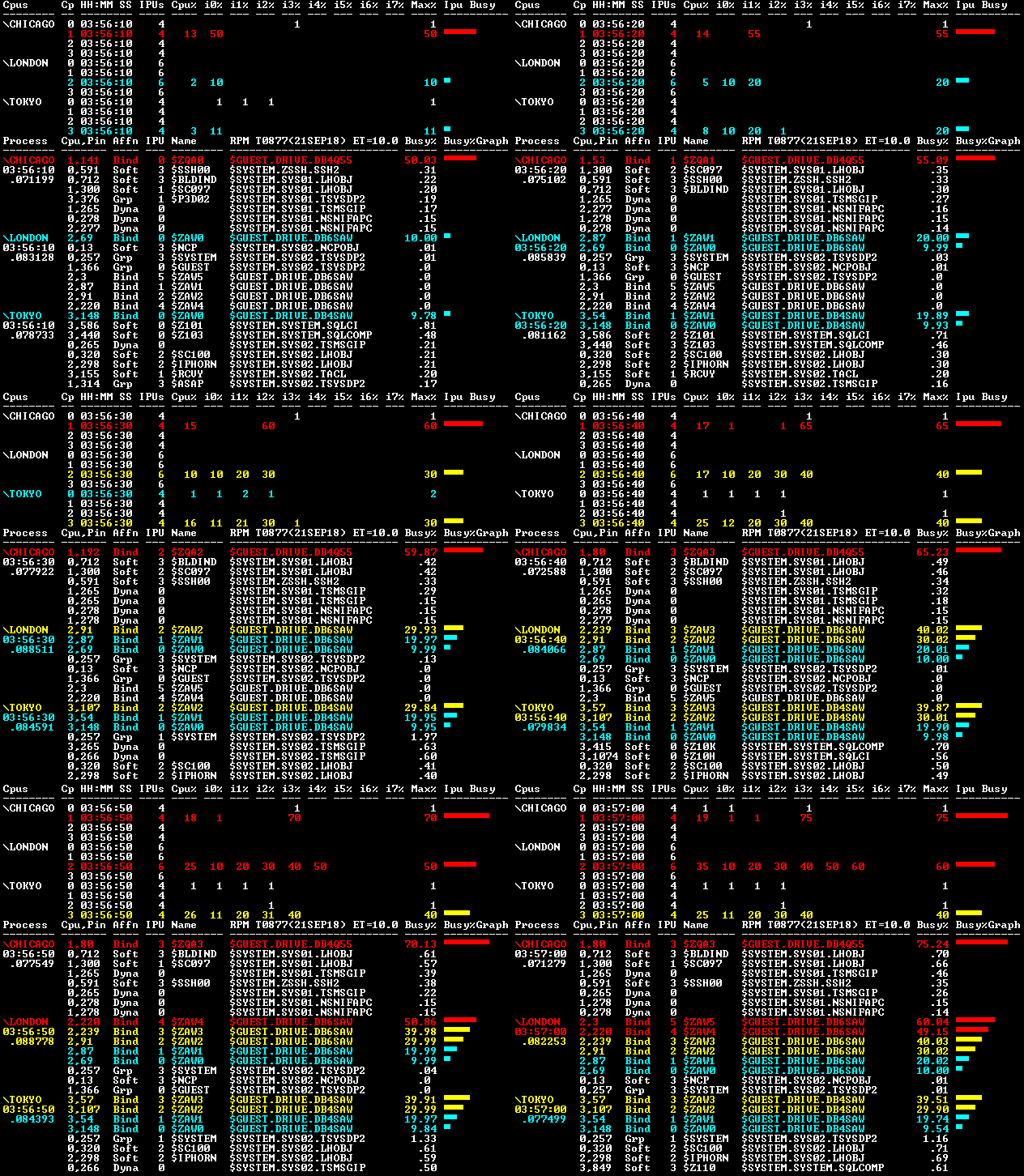
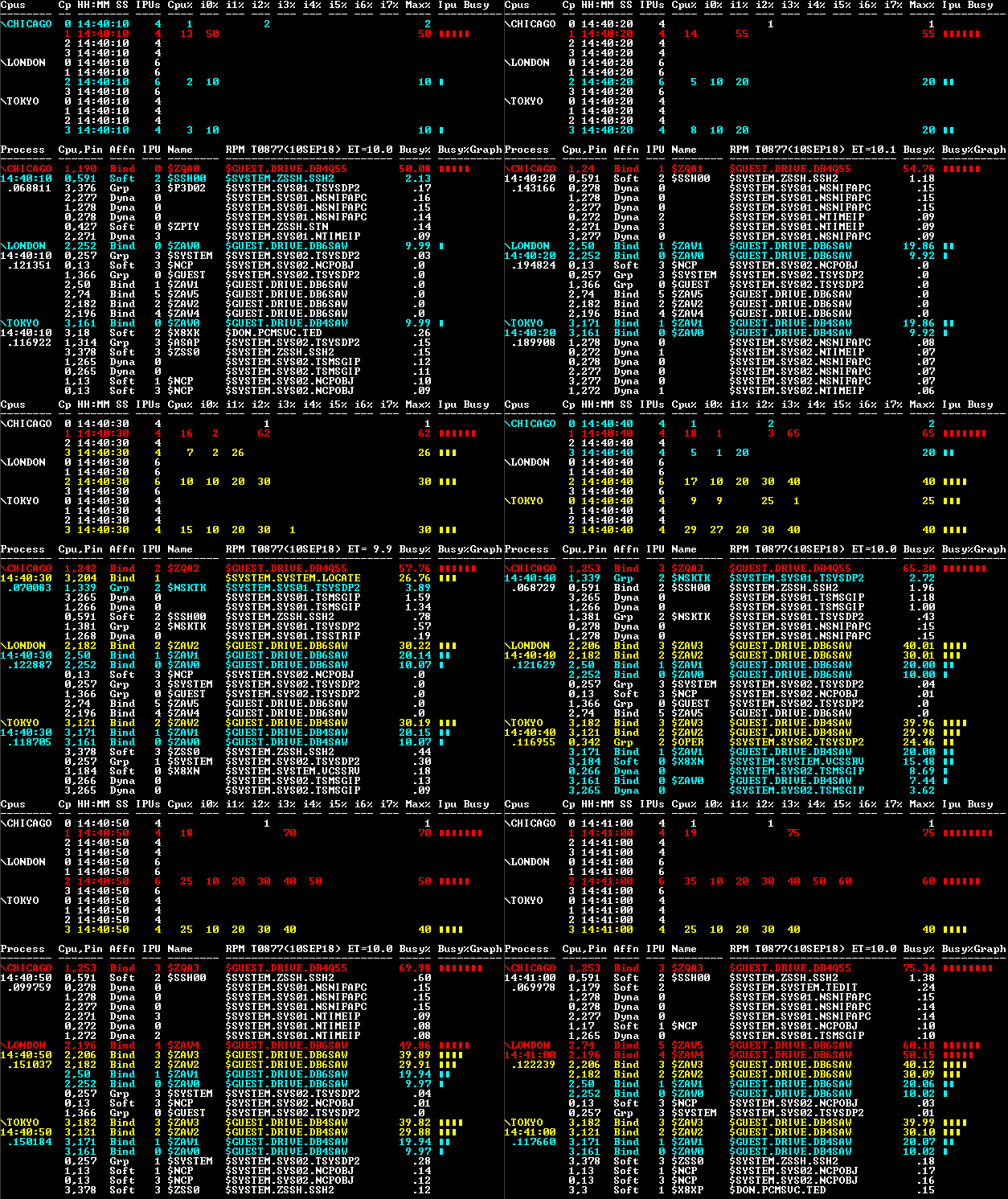
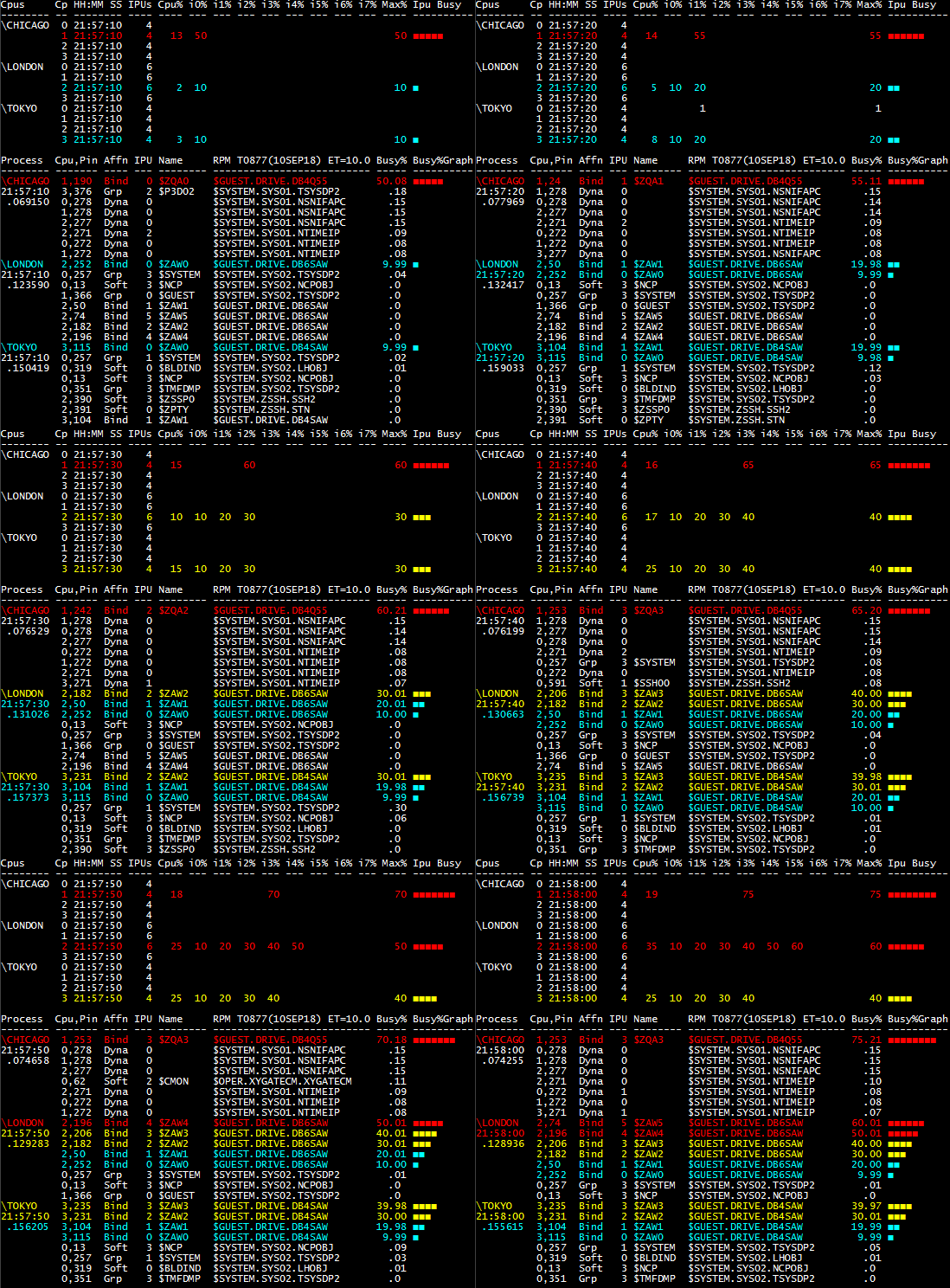
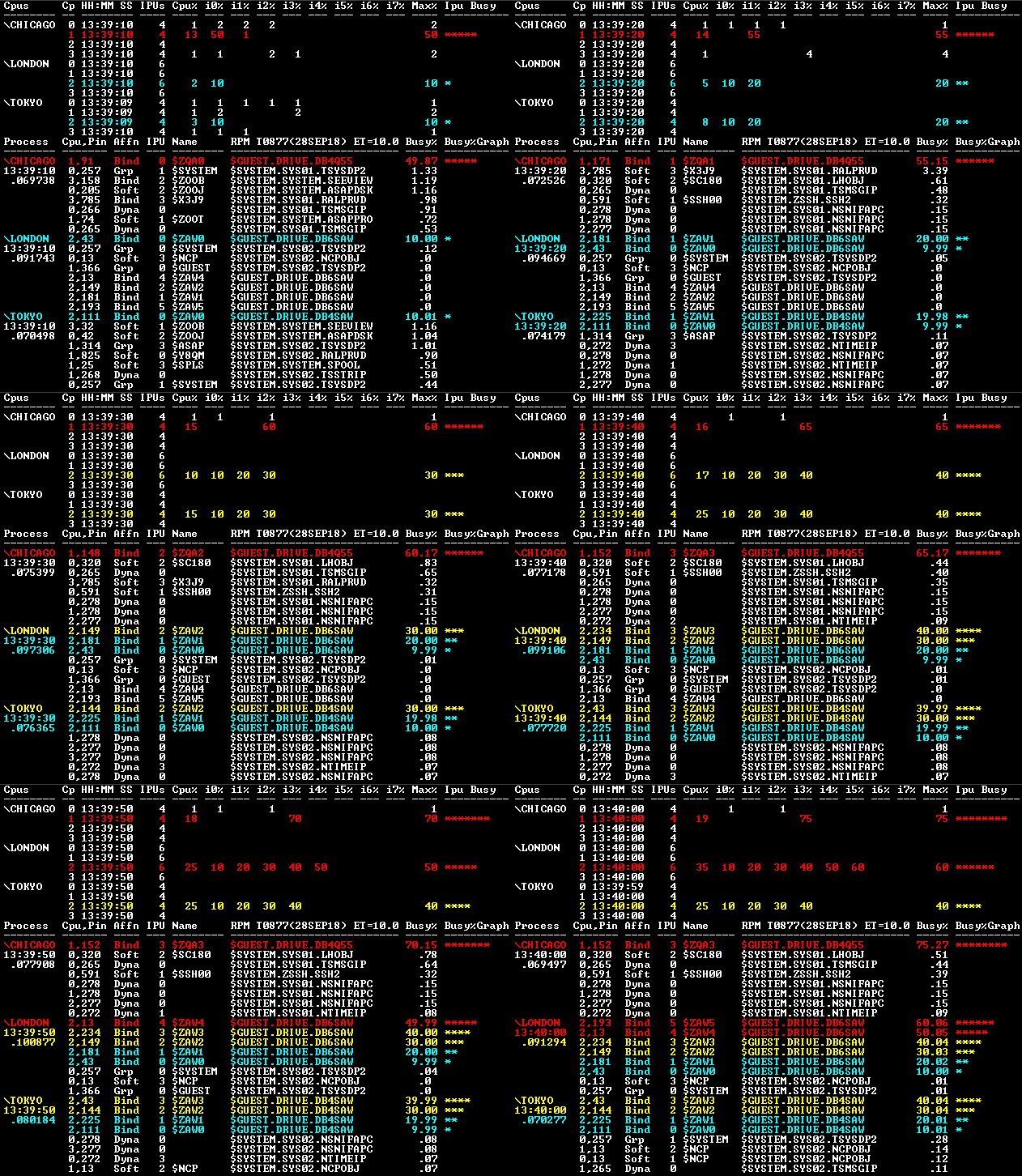
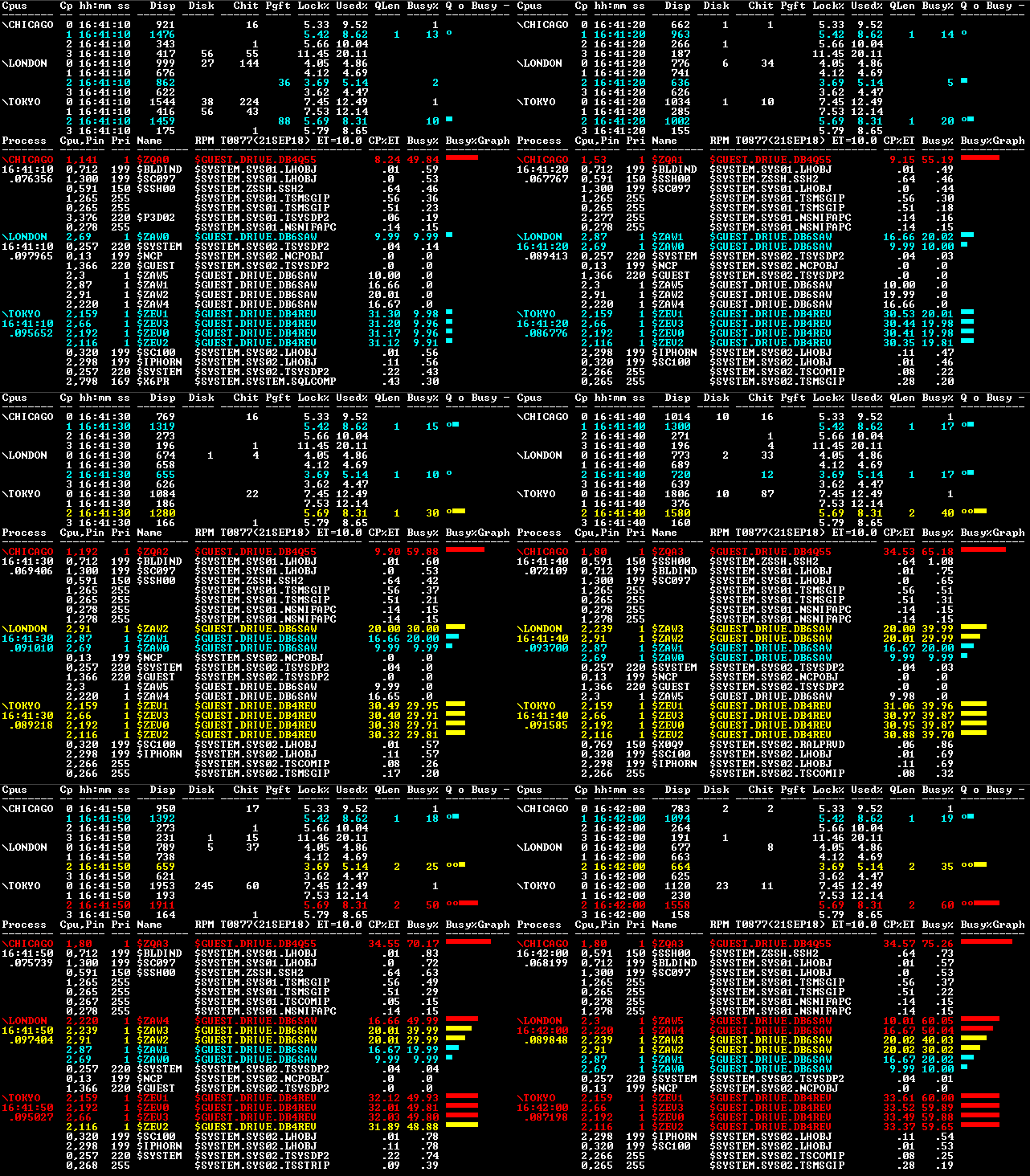
Figure A - ZOO \* IPU GRAPH graphs CPU, IPU, and Process busy for 3 nodes: Chicago, London, Tokyo.
The top half reports on busy CPUs and IPUs, and the bottom half reports on the busiest
processes. \Chicago Cpu 1 IPUs are from 50-75% busy due to the program DB4QA55 running in Chicago CPU 1. \London Cpu 2 IPUs are from 10-60% busy due to the program DB6SAW running in London CPU 2. \Tokyo Cpu 3 IPUs are from 10-40% busy due to the program DB4SAW running in Tokyo CPU 3.
Figure A - ZOO \* GRAPH reports CPU and Process stats for 3 nodes: Chicago, London, and Tokyo.
This report is broken in 2 parts: Top-half shows CPU stats; Bottom-half shows Process stats.
CPU stats include rate stats: Dispatches, Disk IOs, Cache hits, and Page Faults; Memory Lock/Used%;
QLen is CPU Queue Length; Busy% is CPU busy across all IPUs; QLen o and Busy% - are color-coded graph.
Process stats include Cpu, Pin, Priority, Name, Object, CP%ET life-time busy% since process was started.
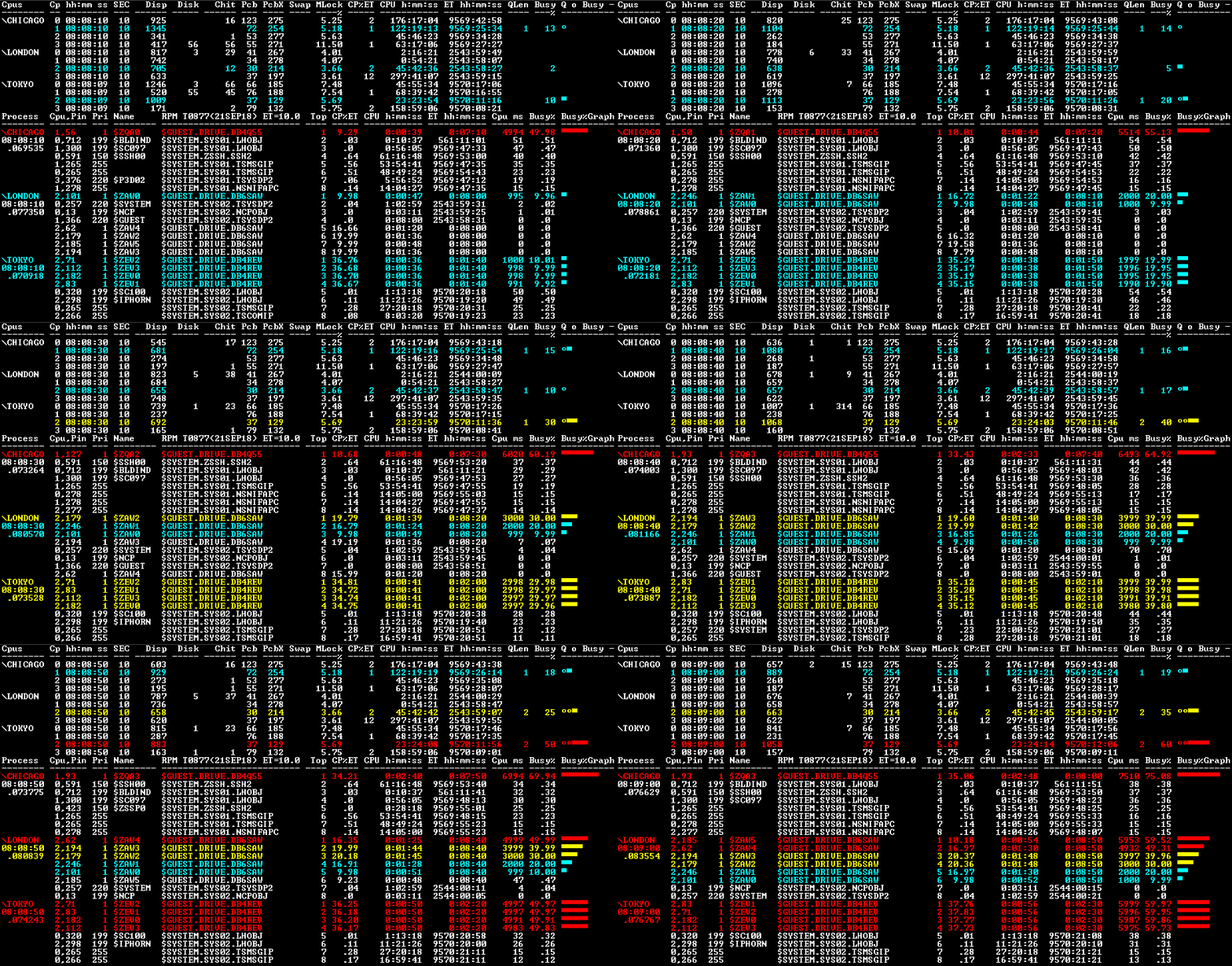
Figure A - ZOO \* ETA GRAPH reports both life-time
busy (CP%ET) and short-term (Busy%) of CPUs and Processes.
The report is broken in 2 parts, the Top-half shows CPU stats, and the Bottom-half shows busiest
processes.
CPU stats include rate stats: Dispatches, Disk IOs, Cache hits, PCB, PCBX, Page Faults, and Memory Lock%;
CPU ETA Stats - upper-half of report
CP%ET - life-time busy% of (Total-CPU-Cycles / Total-Time-since-CPU-reload) CPU h:mm:ss - Total CPU Busy cycles for CPUs in hours, minutes, secs. ET h:mm:ss - Total Elapsed Time since CPU was reloaded in hours, minutes, secs. QLen - CPU Queue Length during the last real-time sample. Busy - CPU Busy during the last real-time sample.
Process ByBusy ETA Stats - lower-half of report
CP%ET - life-time busy% of (Total-CPU-Cycles / Total-Time-since-Process-started) CPU h:mm:ss - Total IPU busy cycles for Processes in hours, minutes, secs. ET h:mm:ss - Total Elapsed Time since Process was started in hours, minutes, secs. Cpu ms - number of IPU milliseconds used during last real-time sample. Busy% - process IPU busy% during the last real-time sample.
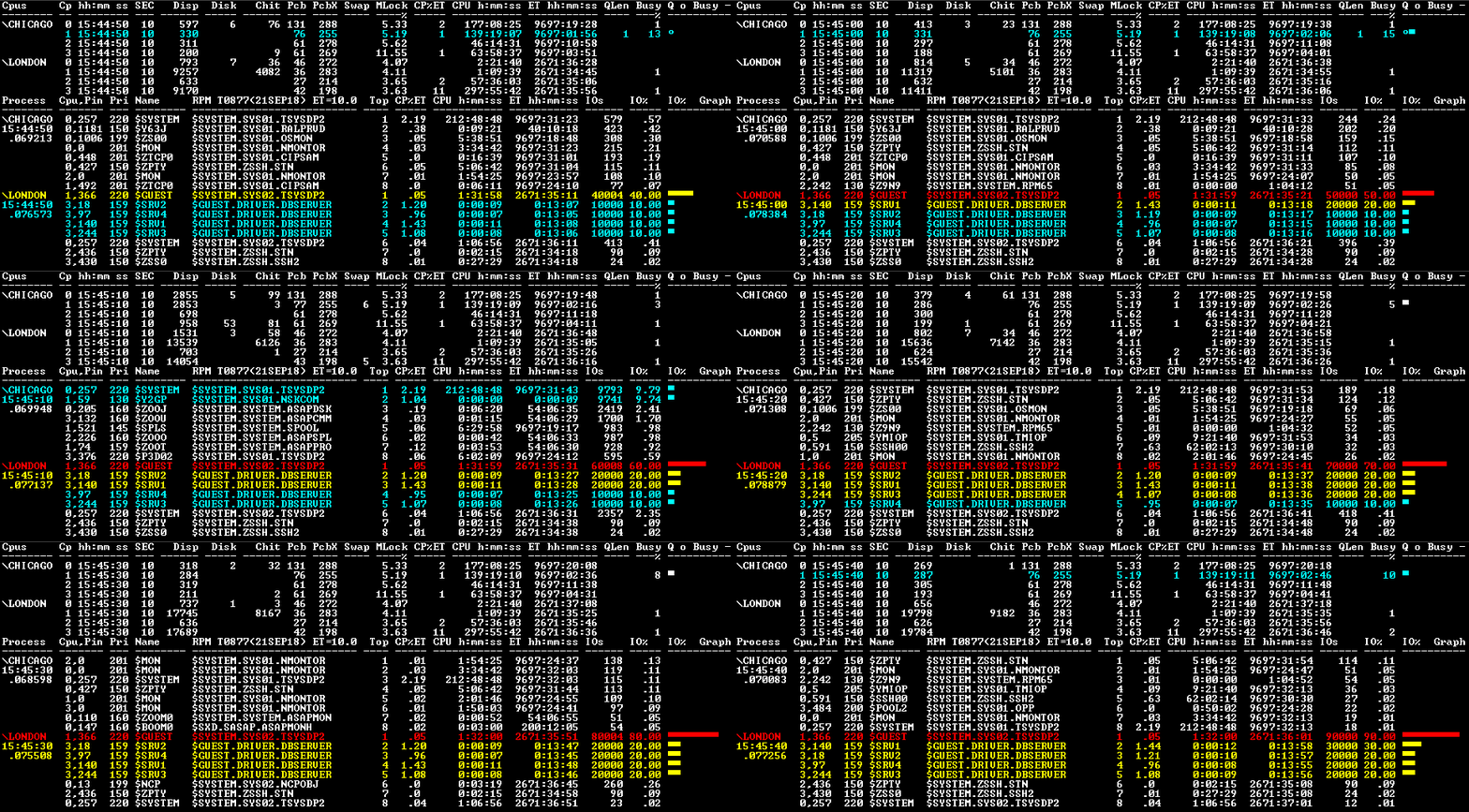
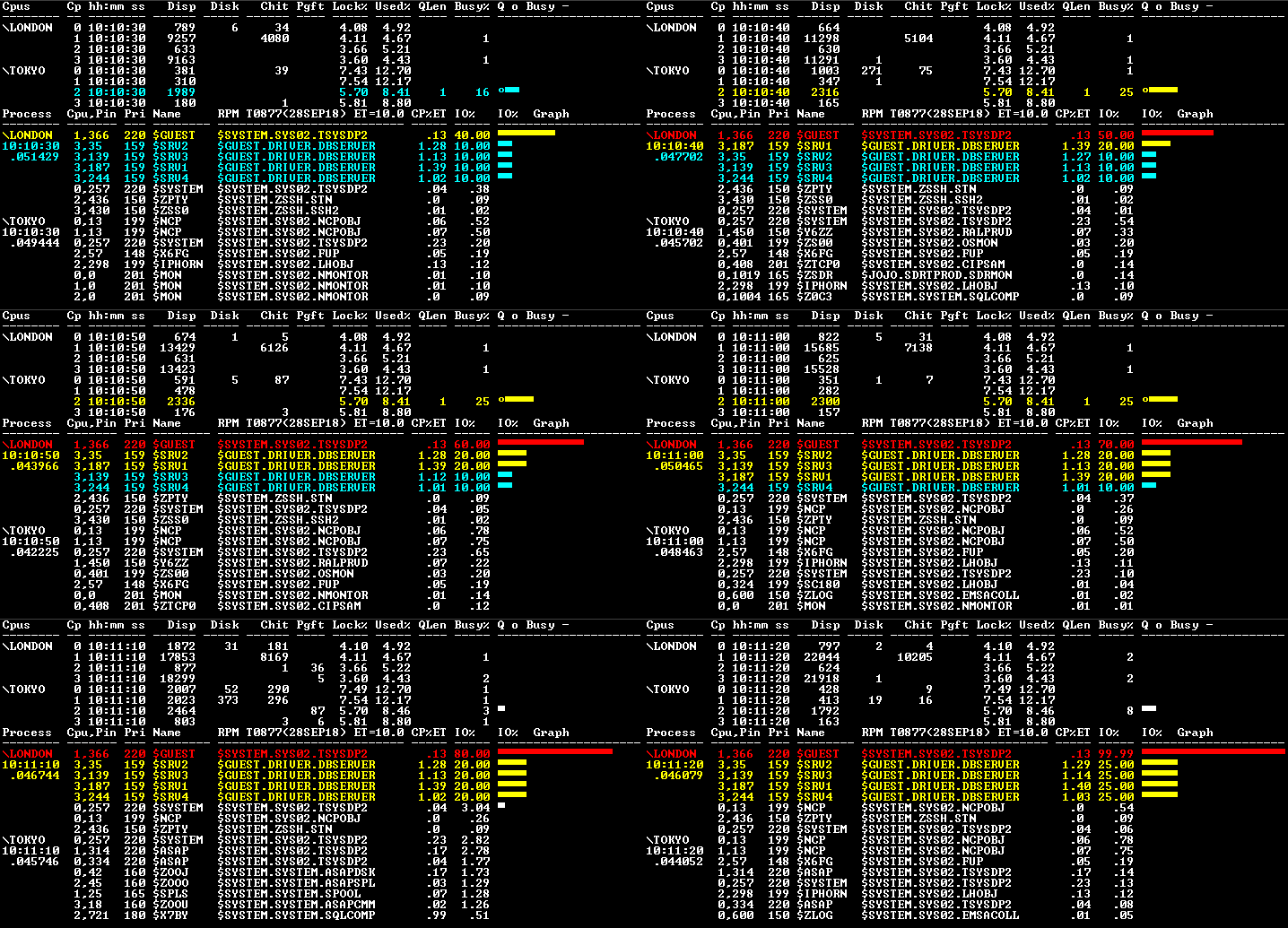
Figure A - ZOO \* ETA BYIO shows which processes are performing the most Input + Output operations.
The report is broken in 2 parts. Top-half shows CPU stats. Bottom-half shows processes doing the most I/O.
Note how the sum of IOs for processes $SRV1,2,3,4 equals the sum of the IOs for the disk process $GUEST.
CPU ETA Option Stats - upper-half of report
CP%ET - life-time busy% of (Total-CPU-Cycles / Total-Time-since-CPU-reload) CPU h:mm:ss - Total CPU Busy cycles for CPUs in hours, minutes, secs. ET h:mm:ss - Total Elapsed Time since CPU was reloaded in hours, minutes, secs. QLen - CPU Queue Length during the last real-time sample. Busy - CPU Busy during the last real-time sample.
Process ByIO ETA Option Stats - lower-half of report
CP%ET - life-time busy% of (Total-CPU-Cycles / Total-Time-since-Process-started) CPU h:mm:ss - Total IPU busy cycles for Processes in hours, minutes, secs. ET h:mm:ss - Total Elapsed Time since Process was started in hours, minutes, secs. IOs - number of Input+Output operations performed during last real-time sample. IO% - process IO% busy during the last real-time sample.
RPM Setup Wizard
For information about how to use RPM Wizard to install and setup RPM click
here.
Questions/comments - support
Lastmod: June 4, 2019